
Stock
Header counters
Choose which diaper categories are counted in the stock header
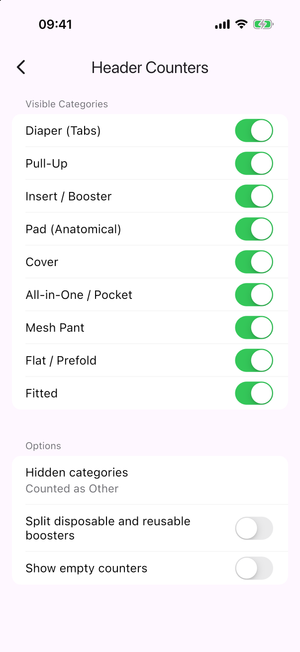
The blocks at the top of the stock header are one big number per diaper category. You decide which categories appear and how the others are handled, in Settings > Stocks > Header Counters.
Visible Categories
One switch per diaper category (Diaper (Tabs), Pull-up, Pad (Anatomical), Booster, …). Switch a category on to give it its own counter in the header.
Options
- Hidden categories— what happens to the quantity of a category you switched off:
- Hidden — not counted anywhere.
- Counted as Diapers — added to the Diapers counter.
- Counted as Other — merged into a single Other counter.
- Counted as Other (disposable/reusable) — an Other counter split into disposable and reusable sub-lines.
- Split disposable and reusable boosters — show two booster counters, the reusable one labelled Reusable.
- Show empty counters — keep a counter visible even when its count is 0.