
Custom types
A custom type is a diaper type you create yourself, for a product that is not in the official catalog. Custom types work everywhere an official type does: stock, history and stats.
Create a custom type
- In the Catalog, tap
Create custom diaper.
- Fill in the four steps.
- Tap Save (enabled once the Name is at least 3 characters and there is at least one size).
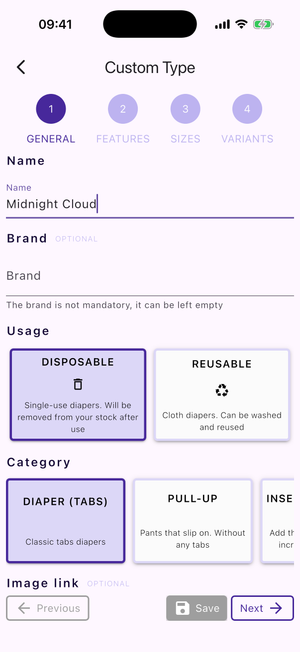
Step 1 — General
- Name — required, at least 3 characters.
- Brand — optional; start typing to pick an existing catalog brand, or leave it empty.
- Usage — Disposable or Reusable.
- Category — filtered by the usage you chose.
- Image link — optional. A link to an image of the diaper. It must be a URL ending
in
.png,.jpg,.jpegor.webp— there is no file upload.
Step 2 — Features
All optional, and the fields shown depend on the usage and category: Target, Fasteners with Tabs per side, Backing material, Wetness indicator, Landing Zone, and a Discontinued switch.
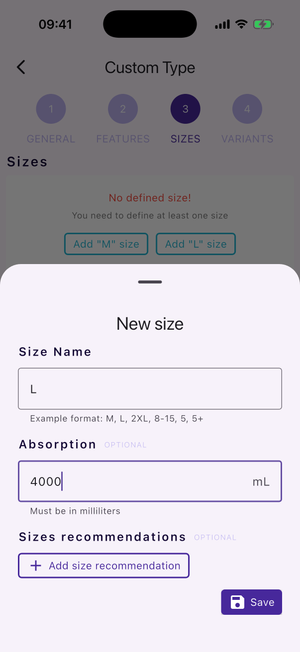
Step 3 — Sizes
At least one size is required.
Each size has:
- Size Name — for example
M,L,2XL,8-15,5,5+. - Absorption — optional, in millilitres.
- Sizes recommendations — optional fit guidelines. Each has a Category, a Unit (the conversion between units is automatic, so you only fill one), a Min Value and/or Max Value, and an optional Origin.
If you intend to propose the type, name sizes the way the catalog does — see the
size nomenclature rules: factorise
repeated X's (2XS, 3XL, not XXS/XXXL), list sizes in ascending order, use
English, use age instead of weight for youth diapers, and separate range boundaries
with a dash (8y-15y).
Step 4 — Variants
Optional. Define product variations such as gender, colour or design. Each variant has a Variant Name, an optional Image, and a Discontinued switch. The What is a valid variant? info sheet gives valid and invalid examples.
Edit or delete a custom type
Open the custom type's page and use the Edit button (or long-press its tile in the catalog list). This reopens the same four-step form, pre-filled.
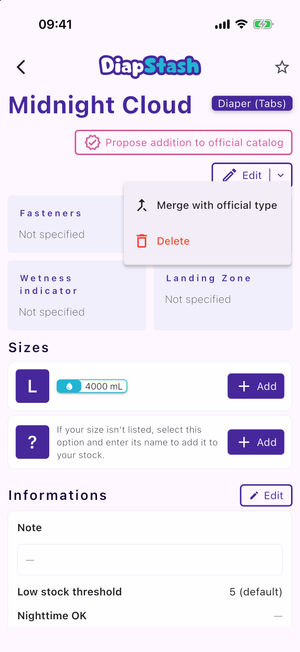
- Merge with official type — merge this custom type into an existing official type.
- Delete — remove the custom type. The history will not be affected.